
We're pleased to introduce the new Local History functionality for Cluey and Central, added in response to multiple user requests. This enhancement provides organisations with greater control over local storage usage, device performance, and offline data availability.
- Group owners and administrators can now configure how many days of observation data should remain stored locally on Cluey devices.
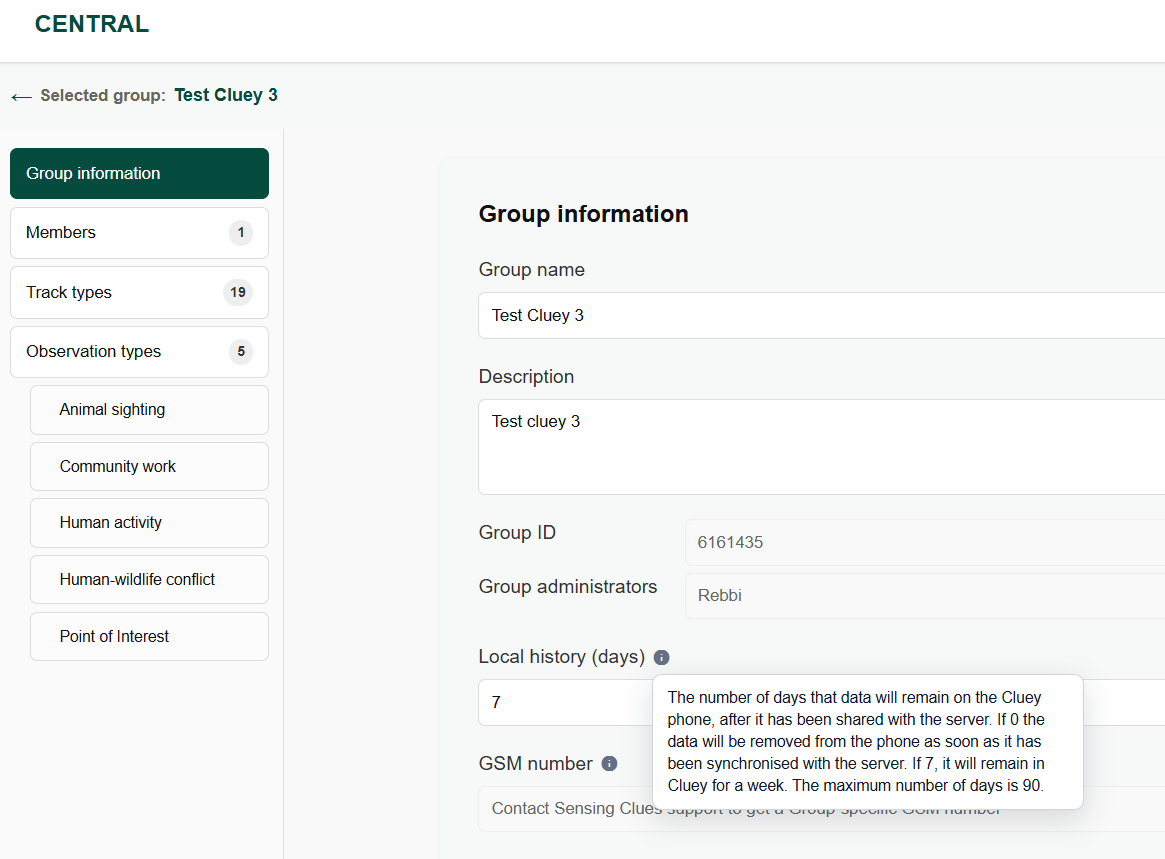
- This setting can be managed in Central → My Groups → Group Information → Local History (days).
- For existing groups, the Local History value is currently set to 0 days by default. This means that, until configured, observations will no longer appear in the observation list within Cluey.
Action Required
To ensure observations continue to be visible on Cluey devices, administrators should update the Local History setting to a suitable value, for example 7 days, depending on operational requirements:
New to Central?
Watch our comprehensive Central walkthrough to explore data management, reporting, operational coordination, and many more platform capabilities.