We’re pleased to introduce several new improvements to Focus 360 that enhance visualisations, coordinate handling, reporting, and overall usability across the platform:
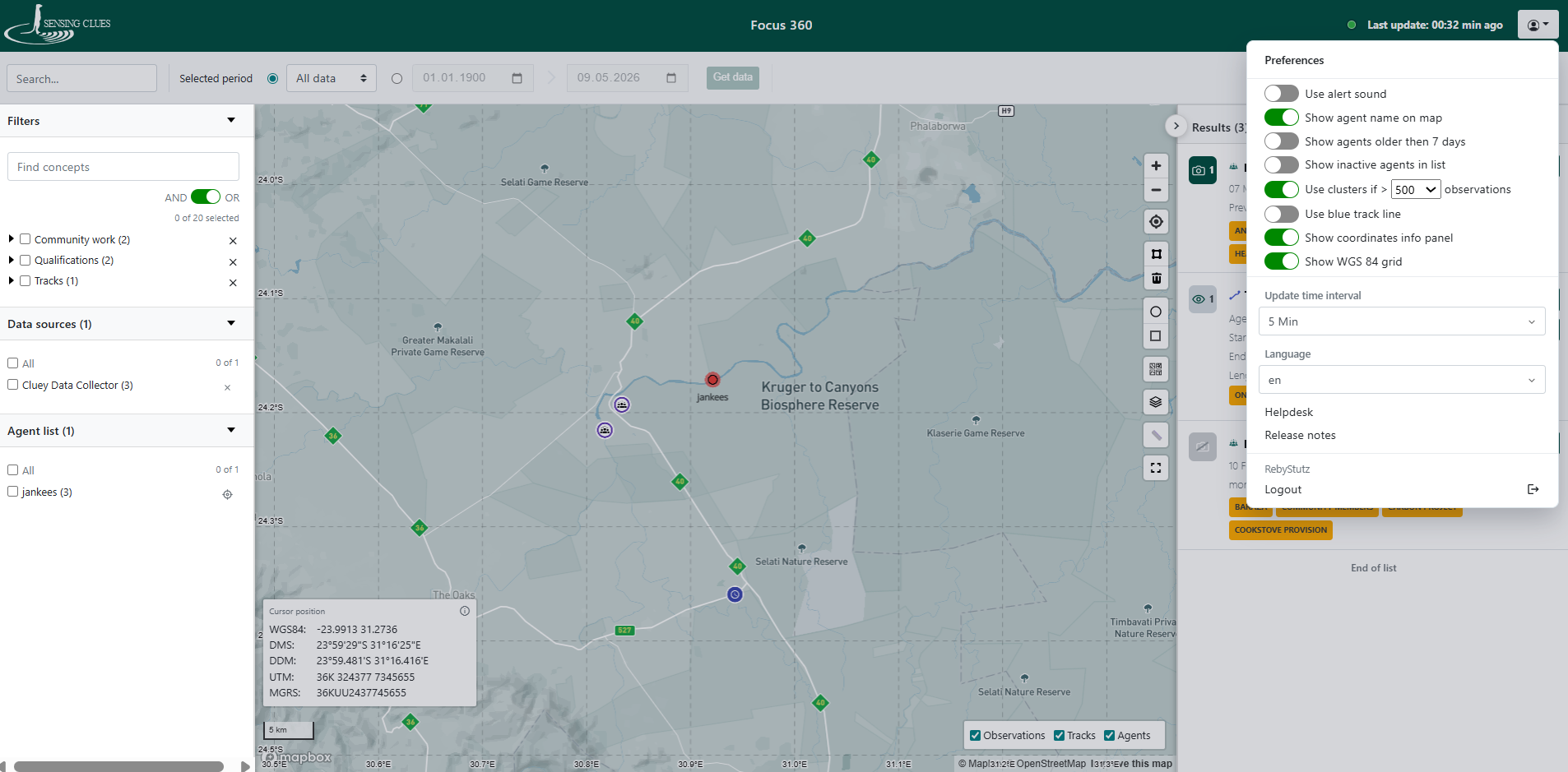
- Added Cluster Markers – Cluster markers have been introduced to improve map readability when displaying large amounts of data in close proximity.
- Stacked Cluster Markers – Observations recorded at the exact same location, such as camera trap images, are now displayed using stacked cluster markers for clearer organisation and easier viewing.
- Additional Coordinate Reference Systems – Focus 360 now supports multiple coordinate reference systems, including WGS84, DMS, DDM, UTM, and MGRS, providing greater flexibility for different operational requirements.
- Customisable Display Options – Users can now toggle cluster markers and coordinate reference systems on or off according to their personal preferences and workflows.
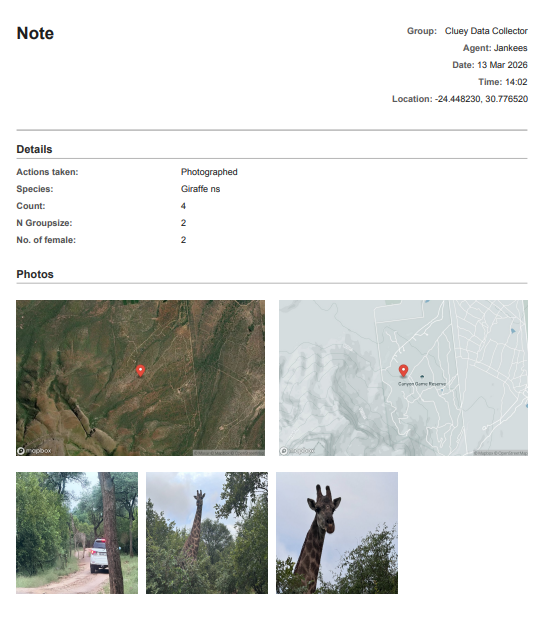
- Print Single Observation Reports – A new print option has been added to individual observations, allowing users to quickly generate and print a Single Observation Report directly from the observation view.
- Improved Connection Status Information – Additional connection status information and helpful guidance links have been added, making it easier for users to understand their connection quality and learn how to improve it.
- General Usability Enhancements – Plus a variety of smaller improvements and refinements designed to deliver a smoother and more user-friendly experience throughout the platform.
More Customisable User Preferences
Example of a Single Observation Report