
A new "Show total observed" option is now available in the Observation Report, allowing you to switch how observation data is displayed.
Previously, charts showed the number of observations on the y-axis:
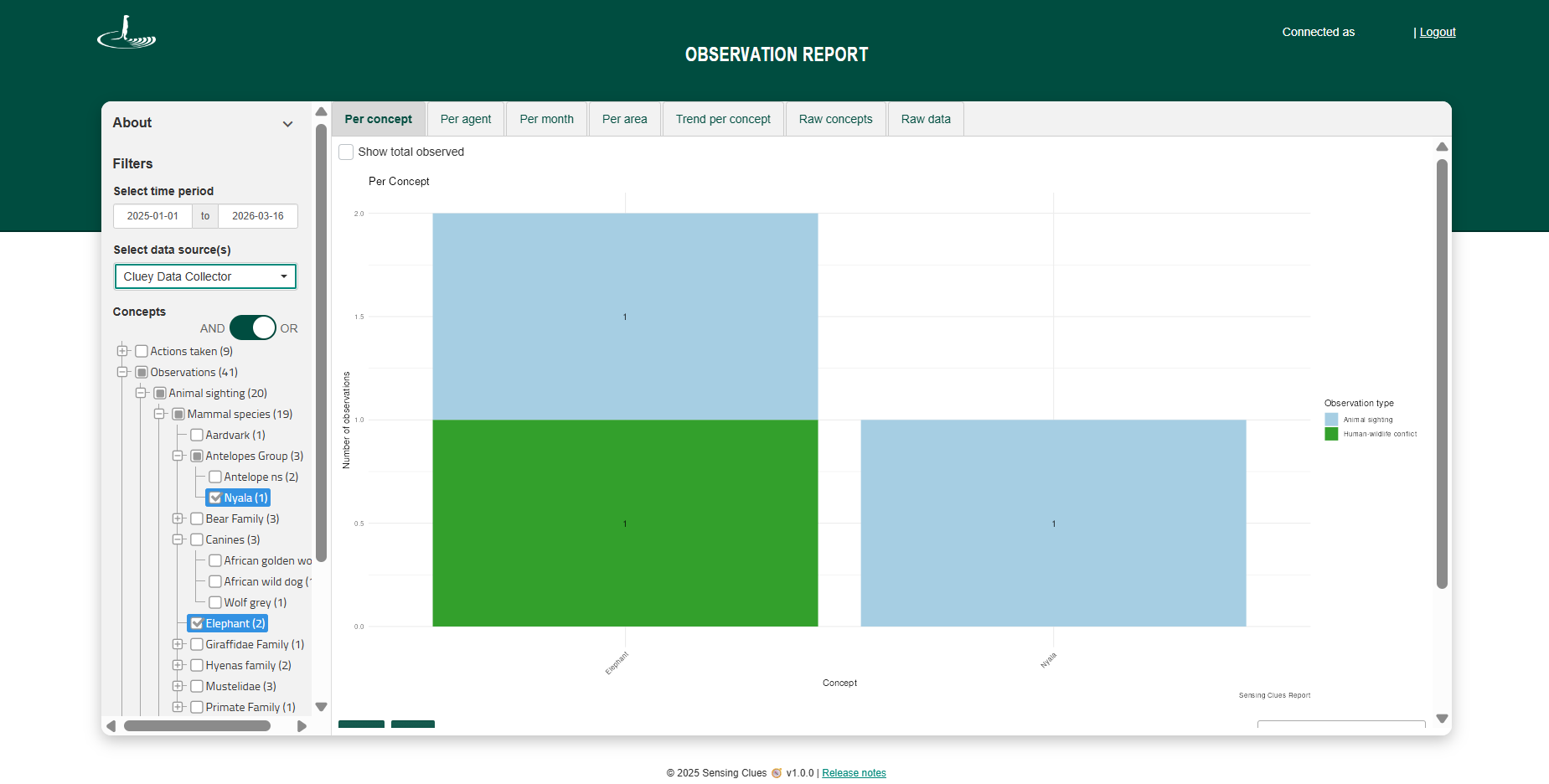
With this new option, you can switch to total observed, showing the total number of individuals recorded (e.g. there can be 2 observations of elephants, but a total of 14 individuals were seen):
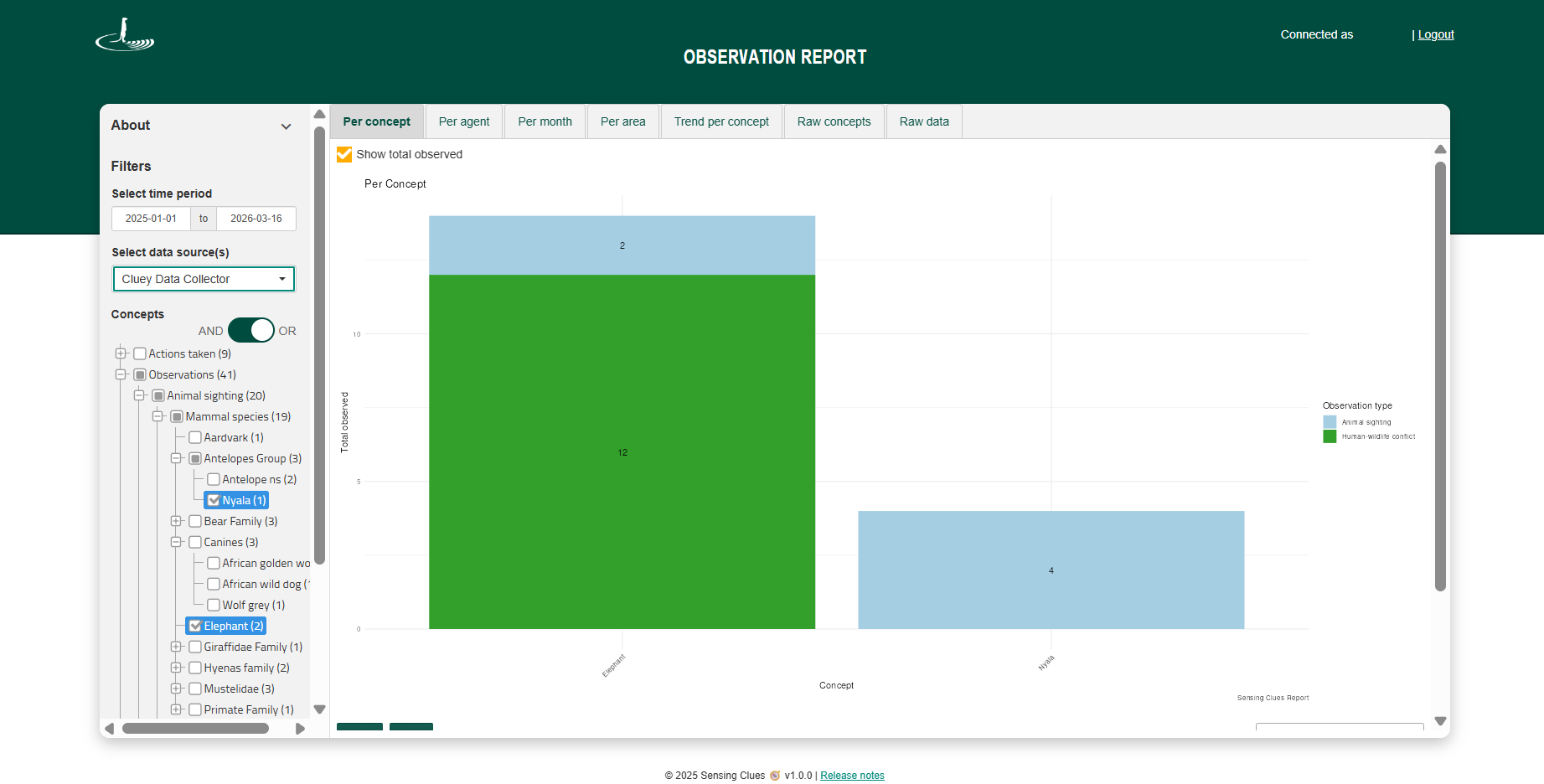
When "Show total observed" is enabled:
The chart displays the total observed count instead of the number of observations.
The total is based on the count value recorded in Cluey or Central (e.g. number of animals or plant species).
If no count value is available, the system defaults to 1 per observation.
The option is available on the tabs Per concept, Per agent, Per month, and Per area.
This allows you to easily switch between observation frequency and actual quantities observed.