
We’re pleased to introduce several improvements to Focus 360 that enhance usability, filtering options, and system feedback across the platform:
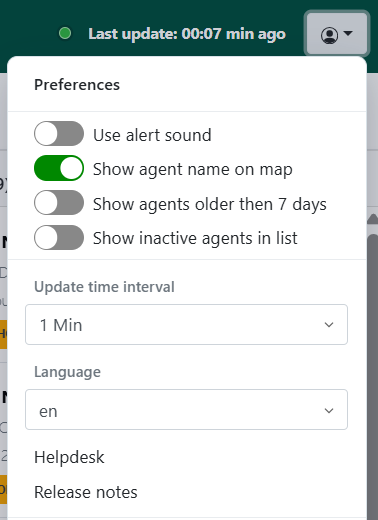
- Reorganised Support Menu – The support menu in the top-right corner has been reorganised for better usability. It now includes options to display inactive agent names and improved selection boxes for settings with many options, preventing the menu from overflowing on the screen.
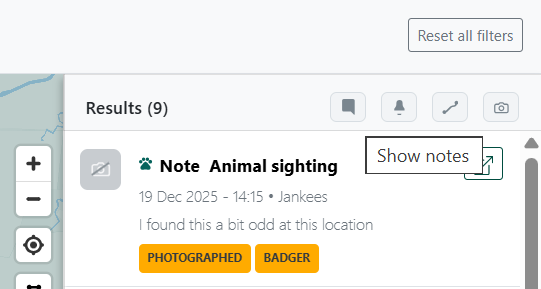
- New Filters in the Results Panel – The results panel on the right now includes filters that allow you to quickly show Notes, Alerts, Tracks and Observations with photos.
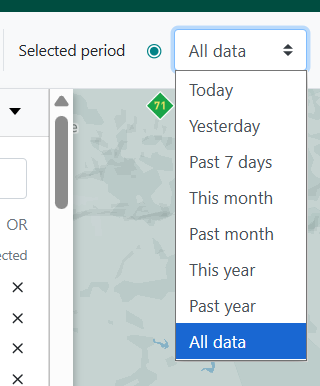
- "All Data" Time Option – A new "All data" option has been added to the period selection box at the top of the map, allowing you to display all available data without selecting a specific time range.
- System Loading Feedback – System feedback is now displayed at the top of the map while data is loading, making it clearer when the platform is processing updates.

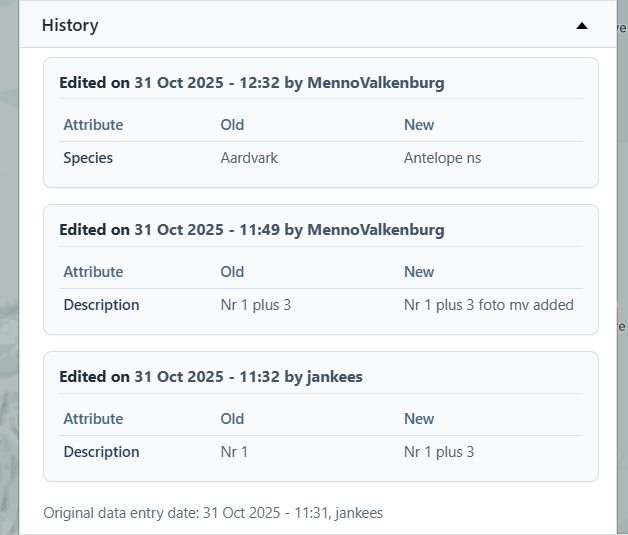
- Improved History Tab – The History tab now shows what was edited, when it was edited, and by whom, providing clearer tracking of changes.
- Better Platform Responsiveness – Selections (e.g. choosing an agent) now automatically update related elements such as data sources, groups, the map, and the results list, creating a smoother and more responsive workflow.